Multi-Cast
To build a multi-channel marketing campaign across several platforms, you should follow these steps:
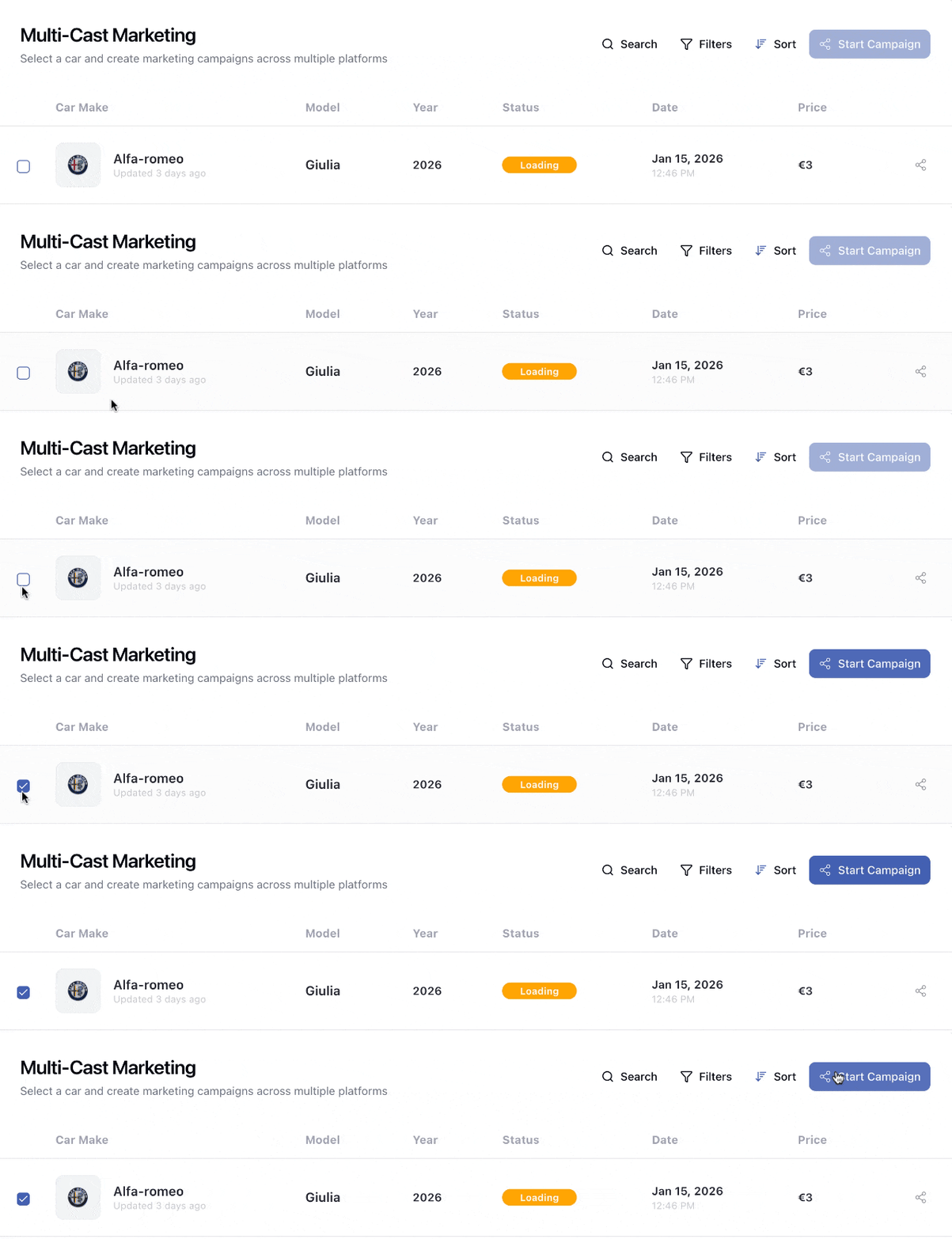
Select Car
Start by choosing a car for your multi-channel marketing campaign.
Connect Platforms
Connect the platforms where you want to run your campaign.
Tiktok
X
Threads
Note: If you would like us to add a platform that isn't listed above, please contact us at support@steerai.autos
Target Audience
Configuration
Description
Defines how the audience targeting will be configured.
| Value | Description |
|---|---|
| Basic Targeting | Standard targeting using essential audience parameters. |
| Advanced Targeting | Enables additional segmentation and filtering capabilities. |
| Custom Configuration | Allows user-defined filters and custom targeting rules. |
| AI Optimized | AI automatically optimizes the targeting based on historical and predictive performance data. |
| Campaign Objective | Suggested Configuration |
|---|---|
| Awareness | Basic Targeting |
| Segmentation | Advanced Targeting |
| Niche Targeting | Custom Configuration |
| Performance & Conversion | AI Optimized |
- Nationwide family offer -> Basic Targeting
- B2B utility fleet -> Advanced Targeting
- Specialized niche audience -> Custom Configuration
- Conversion-oriented EV campaign -> AI Optimized
Country
DescriptionSelects the country where the marketing campaign will be delivered.
Notes: Country selection may affect the available cities.
For support, contact support@steerai.autos.
Cities
DescriptionAllows restricting the campaign to specific cities within the selected country.
Notes: City list depends on the selected country. Multiple selections are allowed.
For support, contact support@steerai.autos.
Customer Types
Description Allows selecting one or multiple customer profiles that match the intended target audience.
Available Values| Value | Description |
|---|---|
| Luxury Car Buyers | Interested in premium or luxury vehicles. |
| First Time Buyers | Purchasing their first vehicle. |
| Family Oriented | Families who value space, safety, and practicality. |
| Eco Conscious | Interested in environmentally friendly vehicles (EV, hybrid, low emissions). |
| Performance Enthusiasts | Interested in sporty, powerful, or high-performance vehicles. |
| Budget Conscious | Price-sensitive, looking for affordability and cost efficiency. |
| Business Professionals | Using vehicles for professional image or corporate purposes. |
| Young Adults | Early-stage buyers entering the automotive market. |
| Seniors | Buyers prioritizing comfort, reliability, and accessibility. |
| Urban Commuters | Primarily driving in city environments for daily commutes. |
| Suburban Families | Families living outside city centers with wider space requirements. |
| Adventure Seekers | Interested in SUVs/4x4s for outdoor or recreational usage. |
| Tech Savvy | Motivated by onboard technologies and modern features. |
| Brand Loyal | Strong loyalty toward specific automotive brands. |
| Price Sensitive | Purchasing decisions guided predominantly by price. |
- SUV family campaign ->
Family Oriented,Suburban Families - Premium EV launch ->
Eco Conscious,Tech Savvy,Luxury Car Buyers - Affordable compact car ->
Young Adults,Price Sensitive,First Time Buyers
Age Range
DescriptionDefines the age interval for the target audience.
Values| Property | Value |
|---|---|
| Minimum | 18 years |
| Maximum | 80 years |
| Selection | Custom interval |
Example
25 - 55 years
General Notes
- This module enables more relevant and targeted campaign distribution.
- Fields can be combined depending on the marketing strategy.
- Very broad targets reduce segmentation accuracy; very narrow ones reduce reach.
Recommendations
| Situation | Recommended Approach |
|---|---|
| Unknown audience | Basic Targeting + broad filters |
| ROI optimization | AI Optimized |
| Segmentation analysis | Advanced Targeting |
| Niche or specialty market | Custom Configuration |
Support & Contact
For any request regarding available values or catalog updates:
Budget Setup
Budget Type
DescriptionDefines how the campaign budget will be structured and calculated over time.
Available Values| Value | Description |
|---|---|
| Daily Budget | User sets a fixed amount spent per day. Total campaign cost depends on duration. |
| Weekly Budget | Budget is allocated in weekly increments. Can be useful for pacing and adaptive spend strategies. |
| Monthly Budget | Budget is allocated monthly. Suitable for long-term campaigns or consistent brand presence. |
| Total Campaign Budget | User sets the full campaign budget upfront. Daily or weekly spend may be derived automatically. |
| Flexible Budget | System adjusts spend dynamically based on conditions (audience availability, seasonality, or pacing). |
| Performance Based | Spend is optimized towards performance metrics (e.g., leads, conversions, CTR, CPA) instead of a fixed schedule. |
Daily/Weekly/Monthly-> user defines spend per period and total is calculatedTotal Campaign Budget-> system derives spend rate from durationFlexible Budget-> may override pacing rulesPerformance Based-> may prioritize efficiency over time distribution
Daily Budget->$25/day x 14 days = $350 totalWeekly Budget->$300/week x 4 weeks = $1,200 totalMonthly Budget->$900/monthfor ongoing campaignsTotal Campaign Budget->$600 total-> system calculates$30/dayfor 20 daysFlexible Budget-> campaign may spend more on high-traffic days and less otherwisePerformance Based-> system may shift spend to audiences that convert better
| Campaign Objective | Suggested Budget Type |
|---|---|
| Short, fixed-duration promotions | Daily Budget |
| Seasonal events spanning weeks | Weekly Budget |
| Always-on branding | Monthly Budget |
| Strict total spend cap | Total Campaign Budget |
| Dynamic pacing | Flexible Budget |
| CPA/Conversion optimization | Performance Based |
Overview
This section summarizes the key settings selected for the campaign before launch.
It displays:
- Estimated daily budget — daily spending amount
- Campaign duration — how long the campaign will run
- Target audience — selected targeting configuration (e.g., mode + region)
- Connected platforms — platforms where ads will be delivered
- Total budget — total campaign spending
- Cities — selected target cities (or "Not selected" if none)
This overview allows users to quickly verify that all campaign settings are correct before starting the campaign.